
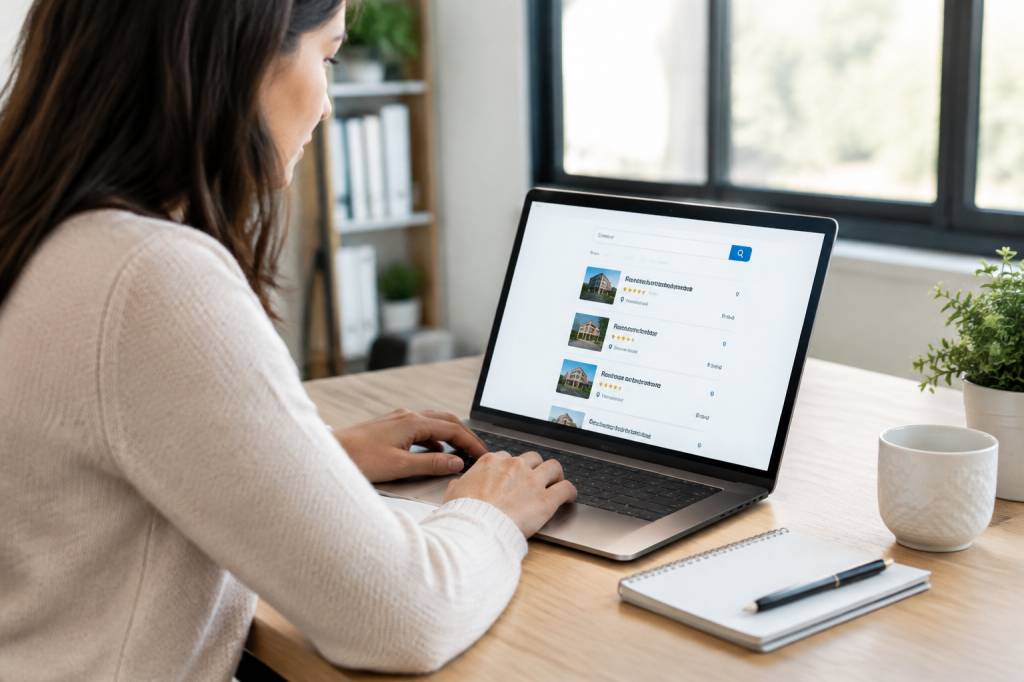
A customer’s search often begins with a small moment of uncertainty: a leaking tap, a lunch break, a deadline, or the sudden need to find someone who can fix a boiler before the weekend. They reach for a phone and type a few words. If your company does not appear, a competitor may get the call instead.
For UK businesses, free online listings are one practical way to become easier to find. They place your details on search platforms, local directories and maps where potential customers are already looking. They are not a shortcut to instant success, and no listing can guarantee a stream of enquiries. But done carefully, they can build visibility and trust without adding another monthly bill.
The key is to choose useful platforms, keep your information consistent and make each profile worth reading. Here is where to start.
Why business listings still matter
A business listing is a profile on a website or service that helps people discover and contact a company. It might show your address, telephone number, opening hours, website, services, photographs and customer reviews. Some platforms focus on maps and search; others are directories where visitors browse by location or trade.
Listings can help in several ways. They give customers more routes to your business, provide useful information before someone calls, and reinforce the same essential details across the web. For a local company, that can mean appearing when someone searches for “accountant in Leeds” or “florist near me”. For an online business, a well-maintained profile can still act as a useful reference point.
There is also a less glamorous benefit: accuracy. A listing with the right phone number and opening hours saves customers frustration. One with last year’s address can send them on a very literal wild-goose chase.
Start with Google Business Profile
For many UK businesses that serve customers in person or travel to them, Google Business Profile should be the first stop. It is free to create and manage, and can help a business appear in Google Search and Maps. A profile may include contact details, opening hours, photos, services and customer reviews.
Before setting one up, check that your business is eligible under Google’s guidelines. A shop, restaurant or plumber who visits customers will generally have a different profile setup from a business that operates entirely online. Follow the verification steps, enter your real-world business name and choose the most accurate categories. Resist the temptation to cram search terms into your name: “Mason & Sons, Best Cheap Emergency Plumber London” is unlikely to inspire confidence.
Keep the profile alive after it is published. Update holiday hours, add clear photographs and respond courteously to reviews. A short reply can show prospective customers that a real person is paying attention.
Add Bing Places and Apple Business Connect
Google may dominate the conversation, but it is not the only way people find places. Bing Places for Business lets eligible companies manage how they appear across Bing Search and Maps. You can create or claim a profile, add business information and, where available, import details from an existing Google profile. Review everything before publishing; an imported mistake is still a mistake.
Apple Business Connect is another worthwhile option for businesses with a public-facing location. It allows organisations to manage how their details appear across Apple services, including Apple Maps. Add the right address, contact information, hours and images, then keep them current. The customer using an iPhone to find your café may never realise there was a profile behind the map pin. That is rather the point.
These services are particularly useful for local firms: cafés, tradespeople, clinics, shops and venues. If your company has no customer-facing location, check each platform’s eligibility rules before investing time in setup.
Explore UK directories and business platforms
Once your core map profiles are in place, consider established directories that serve UK audiences. Free options and features can change, so check the current terms before creating an account. Some platforms offer a basic listing at no charge but reserve enhanced placement, advertising or extra features for paid plans.
-
FreeIndex: A UK business directory where companies can create a profile and customers can leave reviews. It may suit service businesses that want another place to present their work and collect feedback.
-
Yell: A familiar UK directory with business profiles and contact details. Check which features are free and which are part of paid advertising packages before signing up.
-
Thomson Local: A long-running UK directory. It can provide another citation for local firms, though you should review the available listing options and terms.
-
Cylex UK: A directory where businesses can add details such as address, opening hours and services. Make sure the profile is complete and avoid duplicating entries.
-
Scoot: A UK business directory that may be relevant for companies seeking additional local visibility. Check that its audience and categories fit your business.
-
TrueDirectory: A business directory can give your company another discoverable profile. Use accurate details and a clear description so visitors can quickly understand what you offer.
Do not treat this as a race to collect the largest number of directory profiles. A handful of accurate listings on relevant platforms is more useful than dozens of thin, neglected pages. Before joining any directory, ask: Is it credible? Does it serve my location or sector? Can customers actually contact me through it?
Choose platforms that fit your kind of business
Not every listing site is right for every company. A restaurant might benefit from food and hospitality platforms, while a solicitor may find professional directories more relevant. A wedding photographer could look at supplier marketplaces; a software consultancy may get more value from a strong LinkedIn presence and specialist industry directories.
Social platforms can also function as discovery pages. A complete Facebook Page may help a local business share updates and answer questions. LinkedIn can make a company easier to assess in a professional context, particularly for business-to-business services. Neither replaces a directory or map profile, but both can support a wider online presence.
Think about where your customers would naturally look. If you run a guesthouse in Cornwall, travel and accommodation platforms may matter more than a general directory. If you repair commercial refrigeration, a relevant trade association or supplier directory could bring better enquiries than a popular consumer site.
Make every profile consistent and useful
Before you begin, prepare a simple record of your business information. Use the same business name, address and telephone number wherever possible. These are often called NAP details: name, address and phone. Consistency helps customers recognise your company and reduces the risk of outdated information being repeated elsewhere.
Write a concise description that explains what you do, where you work and what makes your service useful. “We provide reliable heating services” could describe thousands of firms. “Family-run heating engineers serving homes across Bristol, with boiler repairs and annual servicing” gives a customer something concrete to consider.
Choose categories carefully, add a working website link and list your real opening hours. Use photographs that are clear, current and genuinely yours. A clean image of your shopfront or team is usually more persuasive than a generic stock photo of smiling strangers in hard hats.
If a platform allows service areas, products or appointment links, complete the relevant sections. A profile should answer a customer’s immediate questions: What do you do? Where do you do it? How can I get in touch?
Reviews are part of the listing
Reviews can influence whether someone chooses to call, but they are not a box to tick once and forget. Ask satisfied customers for honest feedback at an appropriate moment, such as after a completed job or successful appointment. Do not offer rewards in exchange for positive reviews, and follow each platform’s policies.
Respond to feedback with care. Thank customers for positive comments. If someone is unhappy, acknowledge the concern, avoid sharing private details and offer a sensible way to resolve the issue. A measured response can tell future customers as much about your business as the original review.
Never invent reviews or ask staff to pose as customers. It may seem like an easy way to make a new profile look established, but misleading reviews can damage trust and may breach platform rules. Reputation is slow to build and remarkably easy to knock over.
A simple way to manage listings
Listings take time, especially when your business has multiple locations. Make the work manageable by starting with a short, deliberate process:
-
Claim or create your Google Business Profile, if your business is eligible.
-
Add Bing Places and Apple Business Connect where they suit your business.
-
Select a few relevant UK directories rather than signing up everywhere.
-
Save your approved business details and description in one document.
-
Set a reminder to check opening hours, contact information and links every few months.
-
Track where enquiries come from by asking new customers or using suitable website analytics.
Keep login details secure and record who in your team manages each profile. If an agency or former employee created a listing, make sure your company retains access. A digital profile is a business asset; it should not be left behind with an old password and a former staff member’s inbox.
Free does not mean effortless
A no-cost listing still asks for something valuable: your attention. Profiles need accurate details, occasional updates and thoughtful responses. Some directories may promote paid upgrades or advertising, but you do not need to buy every extra to make a basic listing useful. Read the pricing carefully and decide based on evidence, not a persuasive countdown timer.
Measure progress in practical terms. Are customers finding the right phone number? Are you receiving relevant enquiries? Do people mention seeing your profile? Visibility is useful, but the aim is not to admire a pin on a map. The aim is to help the right customer take the next step.
For a UK company, a strong online presence is rarely built in one dramatic leap. It grows through small acts of clarity: a correct address, a useful description, a recent photograph, a considerate reply. Start with the platforms your customers already use, add a few relevant directories, and keep each profile honest and current. When someone searches for the service you provide, make it easy for them to find you—and easier still to choose you.